

CAV Transcoder
The CAV Transcoder is a separate Windows-only application that converts media files into Composer's proprietary .cav (Composer Audio Video) format. Files in .cav support seamless video scrubbing via cue points, which can be triggered through the HTTP API or Connectors for live frame-accurate playback.
The transcoder ships at C:\Program Files\RealSprint AB\Vindral Composer\CAVTranscoder\ComposerCAVTranscoder.exe.
Important
Run the CAV Transcoder with administrator privileges. The application needs elevated permissions to write its working files; without them, transcoding fails or behaves unpredictably.
Transcode mode
Open a video file (.mp4 or .mov) via File → Open File, then click Start transcode. The resulting .cav saves alongside the source with the same base name.
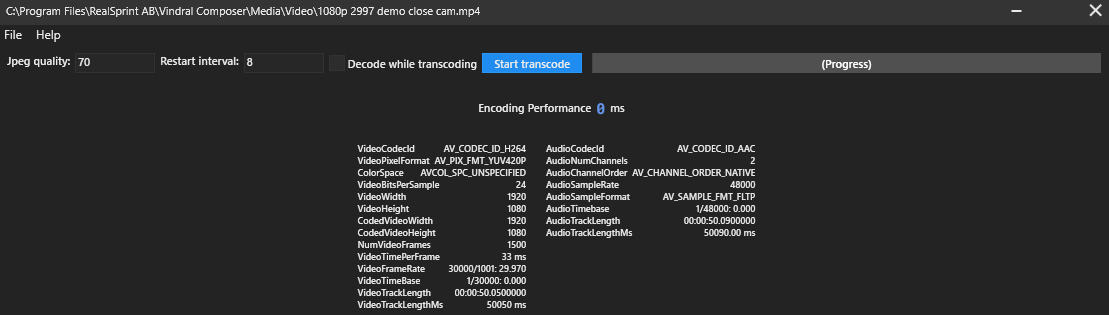
Note — supported codecs
For
.movfiles, the only supported video codec is QuickTime Animation in colour space RGBA (with alpha channel). Other.movcodecs are not transcoded.
Play / edit mode
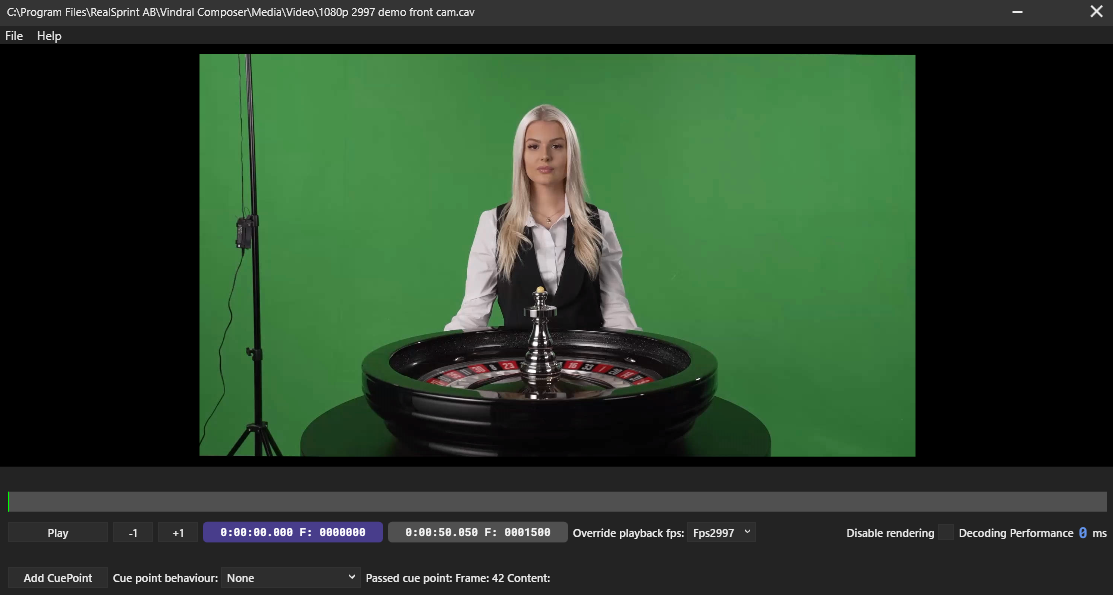
Play / edit mode lets you add and manage cue points on an existing .cav file.
Navigating
- Single-frame step —
Left/Rightarrow keys. - 10-frame step —
Ctrl + Left/Ctrl + Right. - Playback — the on-screen play / pause / stop controls.
Adding cue points
Navigate to the desired frame, click Add CuePoint, and give the marker a name:
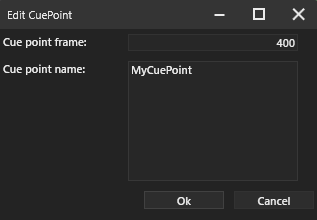
Cue points can be edited, dragged, or deleted via the right-click context menu.
Cue-point behaviour options
Each cue point can carry one of four behaviours, which the CAV File Input honours during playback:
| Behaviour | Effect | Minimum cue points |
|---|---|---|
None |
Continue normally past the cue point. | 1 |
ReplaySegment |
Replay between two cue points. | 2 |
ReplayNextSegment |
Replay between the next two cue points. | 3 |
PauseAfterNext |
Pause at the next cue point. | 1 |
Note
The testing behaviour you set in CAV Transcoder is not saved into the
.cavfile. The actual cue-point behaviour at playback is controlled by theCAV File Input(its UI controls and Connector triggers). The transcoder's behaviour dropdown is for previewing only.
Command-line transcoder
A headless cavconverter.exe ships alongside the GUI application — useful for batch transcoding from scripts or scheduled jobs:
cavconverter.exe --source <sourcefilename> --target <targetfilename> [--quality <10-100>] [--cuepointfile <jsonfile>]
| Parameter | Description | Default |
|---|---|---|
--source |
Path to the source .mp4 or .mov. |
required |
--target |
Path for the output .cav. |
required |
--quality |
Quality preset from 10 (lowest) to 100 (lossless). |
80 |
--cuepointfile |
JSON file containing the embedded cue-point list (each entry has VideoFrameIndex and Data fields). |
(no cue points) |