

Demos and tutorials
The fastest way to learn Composer is to download the tutorial projects from RealSprint and pick them apart. They cover the workflows you'll use day-to-day — multi-camera setups, chroma keying, audio mixing, scripting, multi-brand output — using small self-contained projects. Browse the full Tutorials page for a thumbnail catalogue with a short description and minimum Composer version for each project.
Downloading the tutorials
Open the Tutorials menu in Composer Desktop:
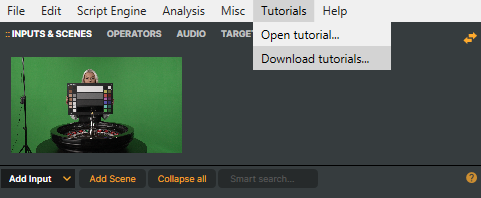
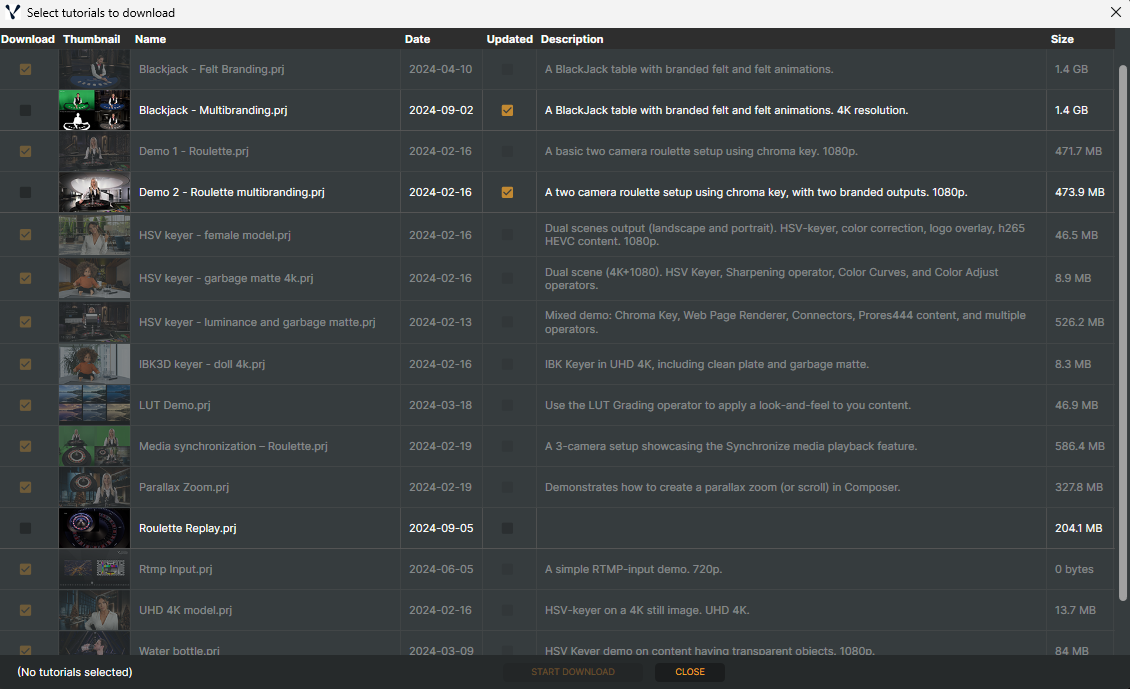
Choose Download tutorials… to fetch the latest set from RealSprint. The download lands in Documents\Composer\Tutorials\ by default. The download is incremental; subsequent runs only fetch what's changed.
On a Core licence, tutorials that would exceed any of the Core caps above are marked with a warning icon (⚠) in the download window and cannot be selected — hover the icon to see the specific cap that was hit.
Opening a tutorial
After download, Tutorials → Open tutorial… lists every tutorial project Composer found. Pick one to open it as a regular project — you can edit it, run it, save changes, save under a new name; nothing is read-only.
For deeper conceptual coverage of the Desktop UI and common workflows, see the User Guide.