

Nested scenes
A typical Composer setup includes at least one scene, but more complex setups can comprise 5–10 scenes. It's common to use a scene as an input into a different scene.
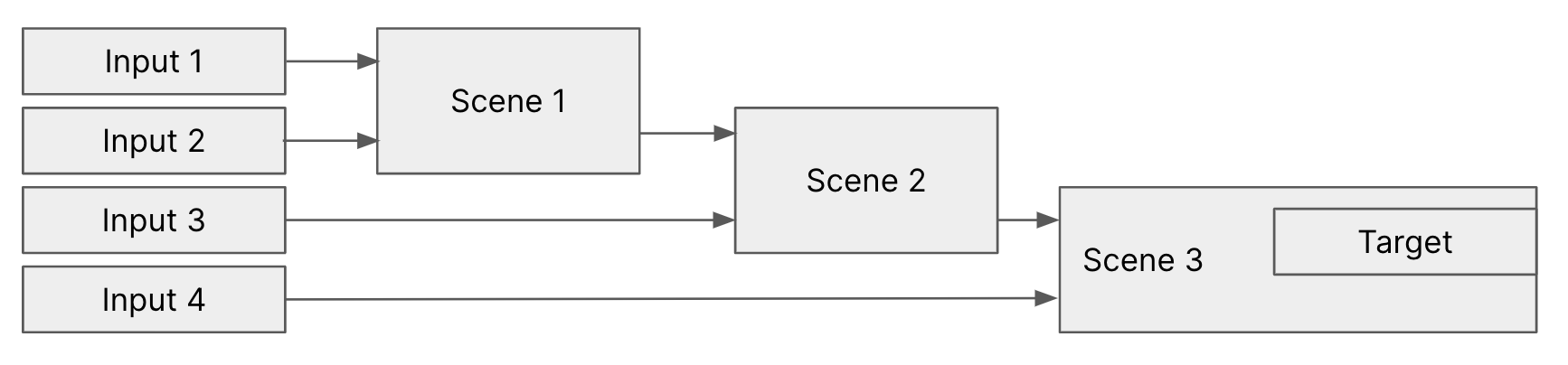
Description: 4 inputs connected to 3 scenes. Scene 2 also uses the output of Scene 1, and Scene 3 uses the output of Scene 2. Scene 3 contains one Target.
Using nested scenes is an efficient way of reducing complexity. Multiple scenes also create setups with "multiple cameras" where each view has more complex content than just a camera feed.
For example, for a two-camera setup where each camera view uses a mixture of graphic items combined with the camera view, it can be efficient to create three scenes:
- One scene (1) for camera 1 + all graphics for view 1.
- One scene (2) for camera 2 + all graphics for view 2.
- One scene (3) that uses scene 1 and scene 2. Using the layer hide & show feature, you can create Connectors that switch between scene 1 and scene 2 — i.e. camera 1 and camera 2.
Because a scene's output is itself a video signal with alpha, a downstream scene receives the upstream scene with transparency intact. This is the foundation of the multi-brand pattern: a base scene captures the live action and runs the heavy compositing, and one or more downstream scenes use the base scene's output as a layer, then add their own logos, lower thirds, language-specific audio mix, and target.
Nesting depth is unlimited in principle, but every level adds latency equal to the parent scene's frame budget; in practice, two or three levels is a common ceiling for live productions.