

Debug
The Debug tab gathers diagnostic toggles useful when reproducing a bug, instrumenting a project for support, or capturing extra detail during a regression hunt. None of these settings should be left on in production: each one trades runtime quietness for additional log volume or UI clutter.
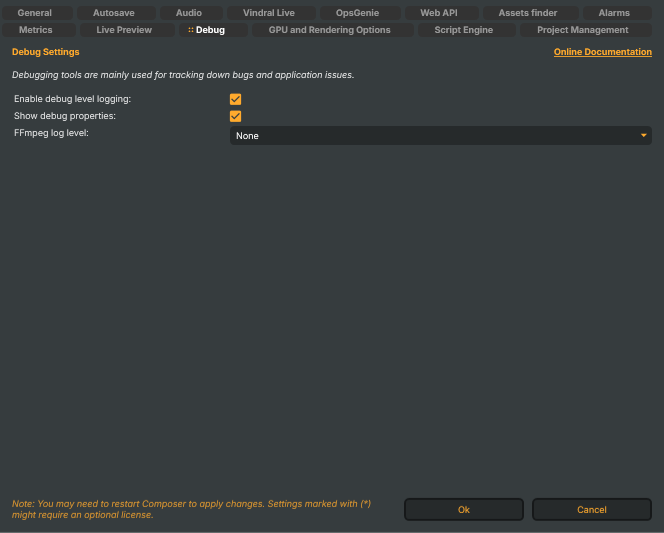
Debugging tools are mainly used for tracking down bugs and application issues.
For the deeper verbose / trace floor (below debug level), see Operations & Tuning → Enabling verbose logging — verbose mode is launch-flag-only and not exposed in this UI.
Toggles
Enable debug level logging (
EnableDebugLogging) — when on, log entries at thedebugseverity are written to disk and shipped to Loki / OpsGenie / Grafana. When off, the log floor isinfoand debug entries are filtered out before they reach any sink. Default: on. The launch-time-v/--verboseflag overrides this and drops the floor further to verbose / trace.Show debug properties (
ShowDebugProperties) — when on, properties marked[DebugProperty]/[DeveloperProperty]become visible in Composer Desktop's property panes. These surfaces are not stable across releases and may include obscure or experimental knobs — turn this on only when reproducing a bug or following a support engineer's instructions. Default: off.FFmpeg log level (
FfMpegLogLevel) — controls how verbose FFmpeg's internal logger is when libav writes through to Composer's logger. Choices, ordered from quietest to loudest:- None — FFmpeg internals fully silenced. Default.
- Quiet — emergency-level only.
- Panic — only unrecoverable errors.
- Fatal — fatal errors.
- Error — recoverable errors.
- Warning — warnings.
- Info — info messages (codec choices, demuxer notes).
- Verbose — additional detail useful for diagnosing input parsing.
- Debug — debug-level FFmpeg internals.
- Trace — every libav trace entry; very high volume.
Only raise this above None when you're chasing an FFmpeg-side bug — codec init failure, garbled stream, mysterious decoder error. Raising it to Debug or Trace during normal operation will flood the log.