

Script Engine
The Script Engine tab gates Composer's JavaScript scripting subsystem. Three independent switches control whether the Script Engine runs at all, whether external API callers can invoke script functions, and whether script files are auto-reloaded on disk change.
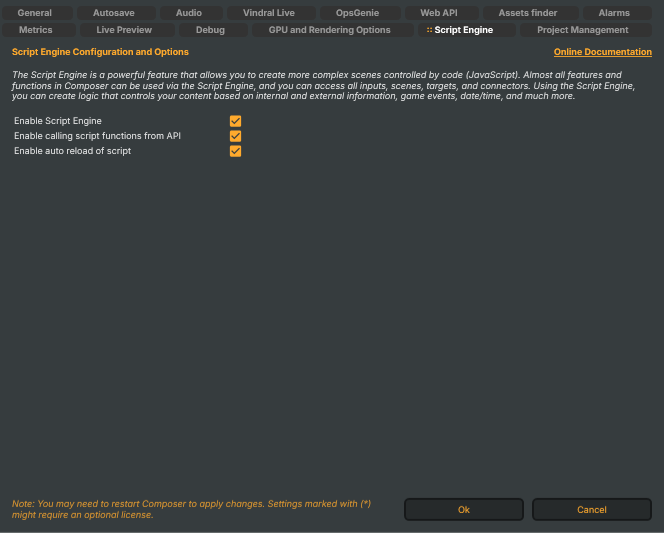
The Script Engine is a powerful feature that allows you to create more complex scenes controlled by code (JavaScript). Almost all features and functions in Composer can be used via the Script Engine, and you can access all inputs, scenes, targets, and connectors. Using the Script Engine, you can create logic that controls your content based on internal and external information, game events, date/time, and much more.
For the scripting language reference, host globals, and the full helper catalogue, see the Script Engine manual.
Switches
- Enable Script Engine (
EnableScriptEngine) — master switch. When off, projects that reference a script log a warning and load without scripting; the script file is not parsed and no script-driven logic runs. Default: off (the Script Engine is opt-in). Toggling this typically requires a project restart for the change to take effect. - Enable calling script functions from API (
EnableScriptEngineApiCalls) — when on, the HTTP API endpoints that invoke script-defined functions (and the Script Engine helperCallVindralApiAsync()) are enabled. When off, scripts can still drive the project internally but cannot be triggered or called by external HTTP clients, and scripts cannot reach back into the HTTP API surface. Honoured only when Enable Script Engine is on. Default: off (closed by default for security). - Enable auto reload of script (
EnableScriptEngineAutoReload) — when on, modified script files on disk are detected and reloaded into the running project automatically. The check cadence is fixed; small edits take effect within a few seconds without manually restarting the project. Honoured only when Enable Script Engine is on. Default: off.
Auto-reload is convenient for live authoring but should usually be off in production — a partially-saved file (text-editor mid-write) can be picked up and crash the running script.