

Crop
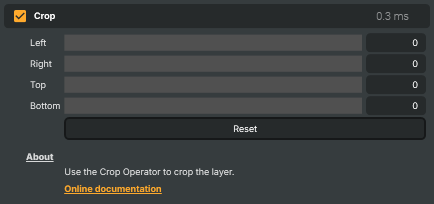
Cuts pixels off the edges of the layer so only a chosen rectangular region remains. Useful for trimming letterboxing or pillarboxing from sources, removing on-screen graphics or watermarks at known edge positions, focusing in on a region of interest, or preparing footage for a scene that expects a tighter framing. Cropping does not scale — the cropped output is smaller than the source.
Crop - Settings
| Property | Description |
|---|---|
Left |
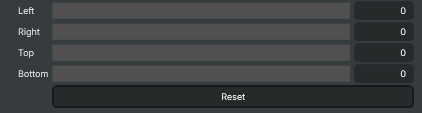
Number of pixels to remove from the left edge. [min=0, max=4096, default=0]. 0 leaves the left edge untouched. Higher values trim further into the image. |
Right |
Number of pixels to remove from the right edge. [min=0, max=4096, default=0]. |
Top |
Number of pixels to remove from the top edge. [min=0, max=4096, default=0]. |
Bottom |
Number of pixels to remove from the bottom edge. [min=0, max=4096, default=0]. |
Reset |
Reset all four crop edges back to 0 — outputs the full source image. |
Inherits from: AbstractOperator, AbstractAudioMetering.
See also: Crop in Script Engine Objects.