

Definitions
A small set of vocabulary recurs throughout the rest of this documentation. Get comfortable with these terms before you start authoring — every other manual assumes them.
- Project — the top-level unit of work, persisted as a
.prjfile. A project hosts one or more scenes, an audio mixer, project-level settings, and (optionally) one or more scripts. Open and save through Composer Desktop; play back through Composer Runtime. - Input — a media source: a video clip, still image, audio clip, capture card, NDI receiver, RTMP listener, web page, or generator. The full catalogue lives in the Inputs manual.
- Scene — a stack of layers, composited together using blend modes, transparency, scaling, position and cropping. A project hosts as many scenes as you need; each scene runs in parallel on the same render tick. A scene can use the output of another scene as one of its layers (nested scenes).
- Layer — one input placed inside a scene. A layer carries its own transform, audio routing, blend mode, and visibility state.
- Operator — a plug-in that modifies video or audio passing through it (a keyer, blur, colour correction, EQ, compressor) or performs an action triggered by media (object detection, speech-to-text, replay capture). Operators attach to layers, to scenes, or to the audio mix. The full catalogue lives in the Operators manual.
- Target — an output endpoint: an RTMP or SRT publisher, an NDI sender, a Decklink SDI driver, an ASIO audio device, a file recorder, an HTTP webhook, etc. Targets attach to scenes; a scene can have many targets, all running in parallel from the same composited output. The full catalogue lives in the Targets manual.
- Connector — a small adapter that translates an external API call (or a Composer event) into actions on the project. Connectors are the bridge between the Script Engine / external automation and concrete project state.
The diagrams below show how these pieces fit together in increasingly real-world configurations.
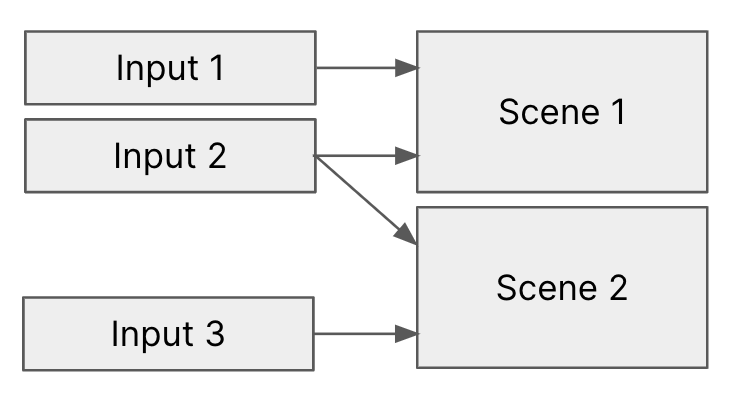
In the simplest case, a project has a few inputs and a few scenes. Each scene picks the inputs it wants as layers, and the same input can feed multiple scenes simultaneously without duplication.
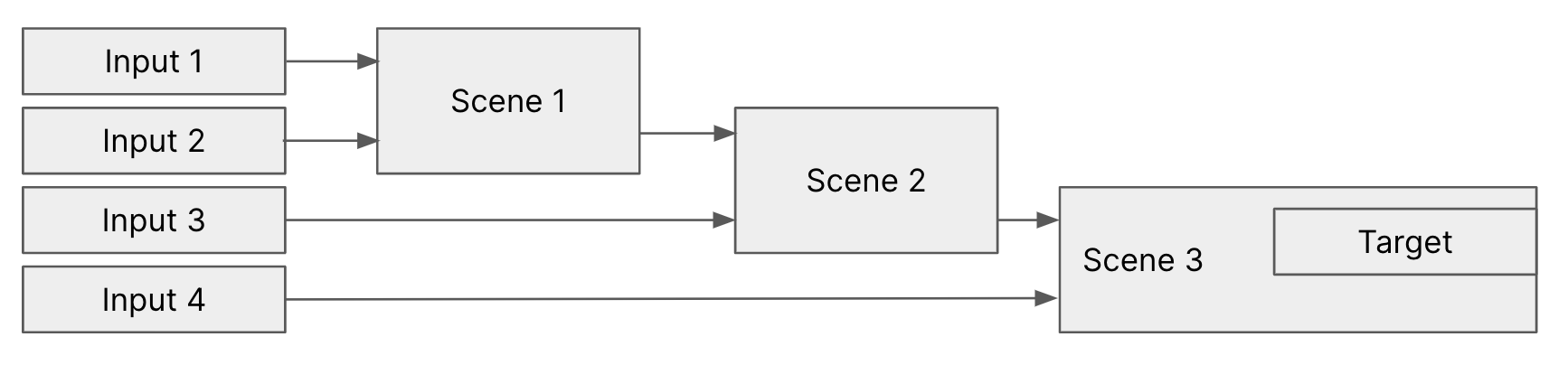
Scenes can be chained: a scene's composited output is itself usable as a layer in another scene. This is the foundation of the multi-brand pattern — a base scene captures the live action, and downstream branded scenes layer their own graphics, lower thirds and overlays on top, each shipping to its own target.
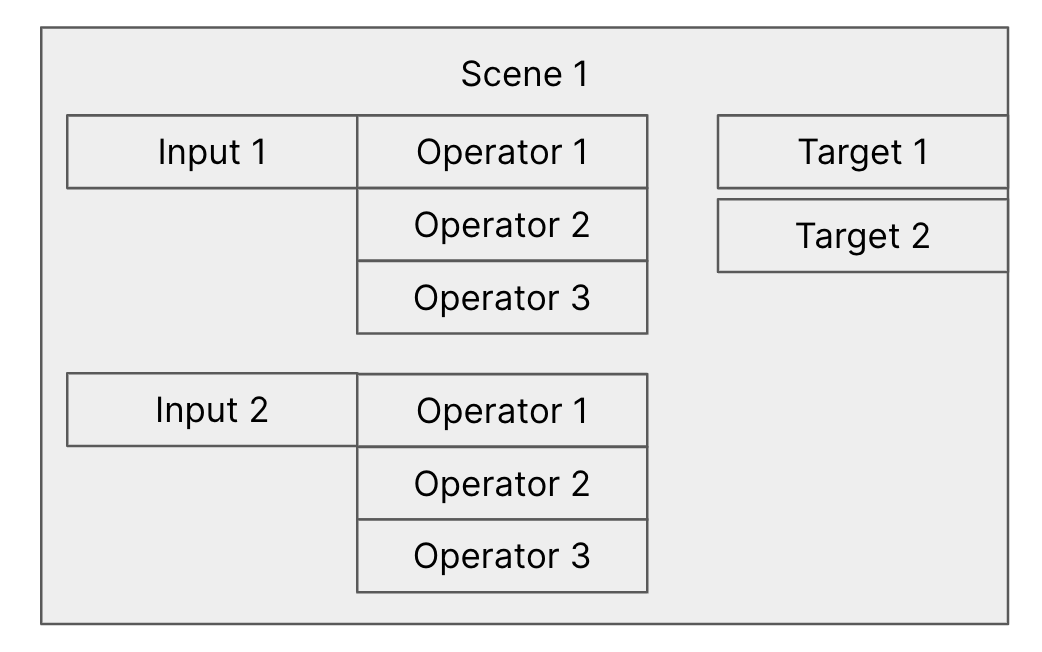
Operators stack on layers (or on the scene as a whole), and a single scene can drive multiple targets in parallel — useful when the same composited program needs to go to a recorder, a streaming endpoint, and an SDI feed at the same time.