

Roulette Wheel Visualizer V2
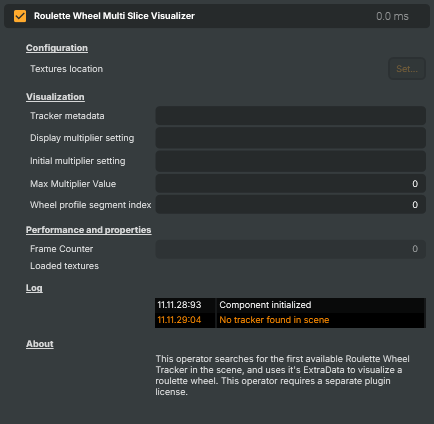
Renders a full 3D roulette wheel mesh — driven by a chosen Roulette Wheel Tracker V2 — onto the live video, using a layer as the wheel texture. Useful for live casino broadcasts that need a virtual wheel overlay locked to the spinning real wheel, e.g. for branded number rings, alternate visuals, or augmented playout. Pick the upstream tracker from the Selected tracker dropdown; place this operator on a layer after the tracker. Requires the VTrack Roulette license.
Roulette Wheel Visualizer V2 - Settings
Tracker
Tracker — selection of the upstream Roulette Wheel Tracker V2 operator that drives this visualizer.
| Property | Description |
|---|---|
Selected tracker |
Dropdown selecting which Roulette Wheel Tracker V2 in the project drives this visualizer. The list is rebuilt automatically as trackers are added or renamed; the choice is remembered between project loads. Without a tracker selected the visualizer passes the input video through unchanged. |
Tracker message |
Status message reflecting the selected tracker (for example "No tracker selected" when the dropdown is empty). |
Tracker - detected angle (deg) |
Wheel angle (degrees) read from the selected tracker. Updates every frame. Useful from scripts to react to the wheel position (e.g. trigger an event when a particular pocket is at top dead centre). |
Visualization
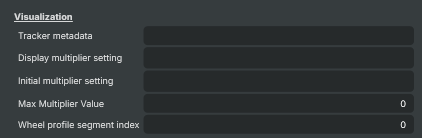
Visualization — source texture layer and rendering options.
| Property | Description |
|---|---|
Source layer for texture (*) |
Layer whose rendered image is mapped onto the wheel mesh as the wheel-face texture. Build the wheel artwork on this layer (typically an unwrapped wheel face with numbers, brand graphics or pocket highlights) and the visualizer wraps it onto the 3D wheel locked to the live spin. Without a source layer the visualizer has no texture to draw and the wheel is rendered as points. |
2× Supersample AA |
When enabled, renders the wheel at 2× resolution and downsamples for smoother edges, default=off. Reduces jagged edges on numbers and graphics around the wheel rim — recommended for finished broadcast output. Costs roughly 4× the draw time, so turn it off while previewing on lower-spec machines or when frame-time is tight. |
Camera settings
Camera settings — virtual camera matched to the real broadcast camera.
| Property | Description |
|---|---|
Camera focal length (mm) |
Virtual camera focal length, in millimetres. [min=11, max=100, default=35]. Match this to the real broadcast camera lens so the rendered wheel keeps the same perspective as the live image. Wider (lower) values exaggerate perspective; longer (higher) values flatten it. |
Camera position x (mm) |
Virtual camera X position relative to the wheel centre, in millimetres. [min=-10000, max=10000, default=0]. Move sideways to match the broadcast camera's horizontal placement; combined with the target X to set the camera's viewing axis. |
Camera position y (mm) |
Virtual camera Y position (height above the wheel), in millimetres. [min=-10000, max=10000, default=1000]. Higher values look further down on the wheel; lower values flatten the view towards the rim. |
Camera position z (mm) |
Virtual camera Z position (distance from the wheel along the viewing axis), in millimetres. [min=-10000, max=10000, default=1000]. Increase to pull the camera back; decrease to push it closer to the wheel. |
Camera target position x (mm) |
X coordinate the virtual camera looks at, in millimetres. [min=-10000, max=10000, default=0]. Shifts where the wheel sits horizontally in the rendered frame; offset slightly when the broadcast camera isn't perfectly centred on the wheel. |
Camera target position y (mm) |
Y coordinate the virtual camera looks at (height of the look-at point), in millimetres. [min=-10000, max=10000, default=0]. Adjust to aim slightly above or below the wheel plane; use small values to fine-tune vertical alignment. |
Camera target position z (mm) |
Z coordinate the virtual camera looks at, in millimetres. [min=-10000, max=10000, default=0]. Together with the camera Z position, defines the depth of the look-at point. |
Camera roll (degrees) |
Virtual camera roll, in degrees. [min=-10, max=10, default=0]. Use to compensate for a slightly tilted broadcast camera so the rendered wheel sits level with the live image. |
Performance and properties
Performance and properties — render counters and timings.

| Property | Description |
|---|---|
Frame Counter |
Frame counter that increments once per rendered output frame. Updates every frame. |
Log
Log — recent component messages and warnings.

| Property | Description |
|---|---|
ComponentLog |
Rolling list of the most recent component messages and warnings. Read-only. Useful for diagnosing issues such as the selected tracker disappearing or becoming inactive while the project runs. |
Inherits from: AbstractOperator, AbstractAudioMetering.
See also: Roulette Wheel Visualizer V2 in Script Engine Objects.