

Band-Pass
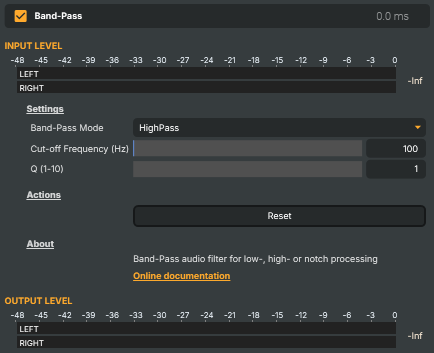
Three-in-one filter that lets only certain frequencies through. Pick LowPass to remove frequencies above a chosen cut-off (cuts highs while keeping lows), HighPass to remove frequencies below it (cuts lows while keeping highs), or Notch to silently remove a narrow band around the cut-off. Useful for cleaning up rumble, hiss, or specific resonances without affecting the rest of the signal.
Band-Pass - Settings
Settings
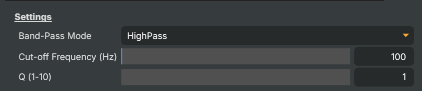
Settings — filter mode, cut-off frequency, and bandwidth.
| Property | Description |
|---|---|
Band-Pass Mode |
Filter mode. [default=HighPass]. LowPass removes frequencies above CutOffFrequency. HighPass removes frequencies below it. Notch removes a narrow band right at the cut-off and lets everything else through. |
Cut-off Frequency (Hz) |
Cut-off frequency, in Hz. [min=20, max=20000, default=100]. The frequency the filter pivots around. For LowPass and HighPass it's the point where the filter starts attenuating; for Notch it's the centre of the removed band. |
Q (1-10) |
Bandwidth (Q) of the filter. [min=1, max=10, default=1]. Controls how steeply the filter cuts. Low values produce a gentle slope; high values produce a sharp, narrow cut — particularly useful in Notch mode for removing a specific resonance without affecting nearby frequencies. |
Actions
Actions — one-click commands.

| Property | Description |
|---|---|
Reset |
Reset all settings to their defaults (HighPass, 100 Hz, Q=1). |
Inherits from: AbstractAudioOperator, AbstractOperator, AbstractAudioMetering.
See also: Band-Pass in Script Engine Objects.