

Unmultiply
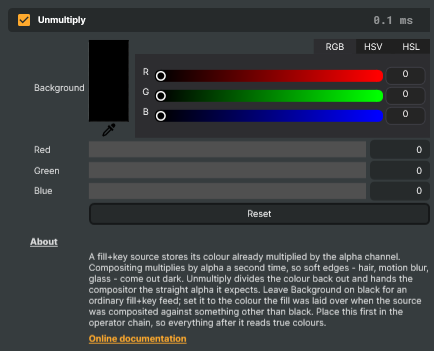
A fill+key source — an SDI pair from a graphics system, a rendered element with an alpha channel, a downstream-keyer feed — stores its colour already multiplied by the alpha channel. That is what "premultiplied" means: a pixel that is half transparent has had its colour halved on the way out.
Composer's compositor multiplies by alpha as well. Its blend is src * a + dst * (1 - a), so handing it a
premultiplied picture multiplies by coverage twice. Fully opaque pixels survive unharmed, which is why the
problem is easy to miss on a title card, but every partially transparent pixel comes out too dark: hair,
motion blur, glass, smoke, soft drop shadows, anti-aliased type — precisely the detail the alpha channel
exists to carry.
The Unmultiply operator divides the colour back out and hands the compositor the straight (un-premultiplied) alpha it expects. Edges recover their true colour and the element sits on the background the way it was meant to.
Background colour
Dividing by alpha is the right answer only when the fill was premultiplied over black. The general case is:
stored = colour * a + background * (1 - a)
colour = (stored - background * (1 - a)) / a
With a black background the subtraction disappears and you are left with stored / a, the classic unmultiply.
That is the default, and it is the correct setting for almost every fill+key feed.
The Background picker covers the rest. When a source was composited over a solid colour other than black — a fill laid over magenta or blue, a common convention for some graphics playout systems — no amount of dividing alone will undo it, because the background colour is still mixed into every soft pixel. Set the picker to that colour and the subtraction removes it. Reset puts it back to black.
Put it first in the chain
Nothing enforces operator order, so this is on you: Unmultiply belongs at the head of the operator chain.
Any operator placed above it — a keyer, a colour correction, a blur, a curve — is reading colours that are still scaled by coverage. It will make its decisions on the wrong numbers, and the results will look plausible enough to waste an afternoon on. A keyer is the worst offender, because a premultiplied edge reads as a darker, more desaturated version of the screen colour than it really is.
Precision, and the one case to know about
Two things are worth understanding before you reach for this operator on a difficult shot.
Quantisation. The layer image is 8-bit, so dividing by a small alpha amplifies the steps between code values: at alpha 0.1, one code value of stored fill becomes ten code values of output. Very transparent regions will therefore look coarser after unmultiplying. This is inherent to the arithmetic, not a limitation of this implementation — the information was never in the file to begin with.
Resampling. Operators run at the layer's native resolution and the compositor resamples afterwards. Bilinear filtering mixes RGB independently of alpha, which can fringe an edge once straight-alpha output is scaled or rotated. At 1:1 there is no filtering and the result is exact. The fringe is most visible against a saturated background colour, so if a magenta unmultiply on a scaled layer shows haloing, that is what you are looking at.
Unmultiply - Settings
| Property | Description |
|---|---|
Background |
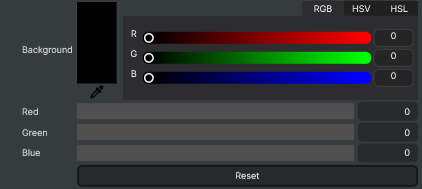
The colour the fill was premultiplied against. Convenience wrapper around ColorR, ColorG and ColorB. Black is the default and the usual answer. |
Reset |
Reset the background colour to black, which is what an ordinary premultiplied fill+alpha source wants. |
Inherits from: AbstractOperator, AbstractAudioMetering, NamedModel.
See also: Unmultiply in Script Engine Objects.