

OpsGenie integration
Deprecation notice. Atlassian is sunsetting OpsGenie as a standalone product. New OpsGenie purchases and trials closed on 2025-06-04, the JSM-bundled version was turned off in October 2025, and full end of support is 2027-04-05 — after which all OpsGenie data is permanently deleted. Atlassian's recommended migration paths are Jira Service Management (for IT operations / on-call) or Compass (for DevOps). Existing Composer installations can keep using the integration until the EOS date, but new deployments should plan for a different alerting backend. See Atlassian's Migrate from Opsgenie page for details. RealSprint will retire this integration once a replacement ships.
OpsGenie (now part of Atlassian) is a third-party alert and incident-response platform. Composer can post log events of severity warning or higher to OpsGenie, where they fan out to Slack, Jira, SMS, voice, or whatever escalation chain your team has configured.
OpsGenie is licensed and supported by Atlassian, not RealSprint. RealSprint provides the Composer-side configuration only; questions about the OpsGenie tier, alert routing, or escalation policy go to Atlassian.
Configuring the integration
In OpsGenie, navigate to Configuration → Integrations and add a new API Integration.
Generate an API key for the integration.
In Composer, open the Settings window and paste the API key into the OpsGenie configuration:
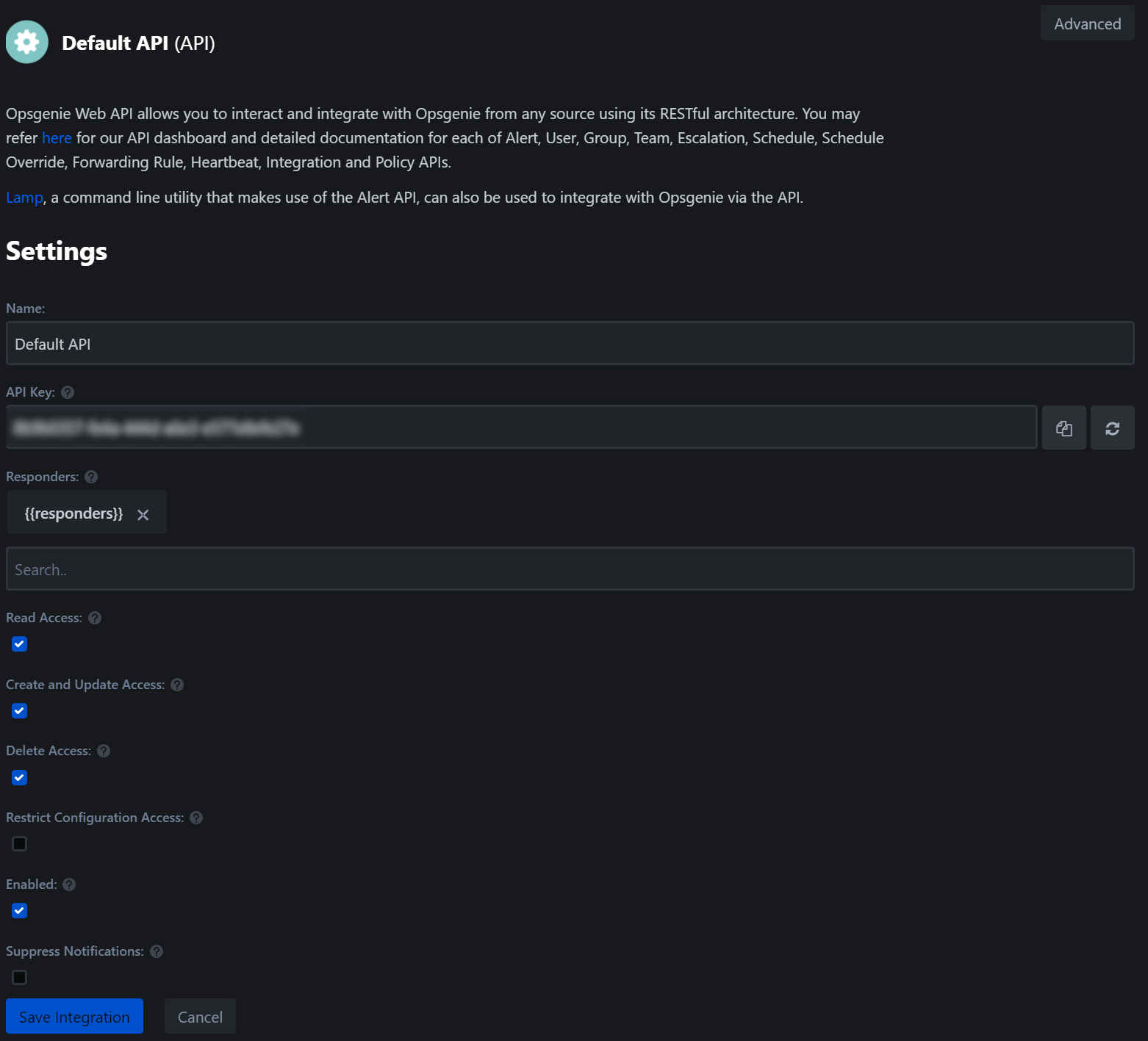
Enable the integration in OpsGenie's Configured Integrations list (the Default API entry).
Composer will start posting alerts on the next log event of severity warning or higher. If you don't see alerts after a triggering event, check that:
- The Composer host can reach
api.opsgenie.com(or the regional equivalent) on TCP/443. - The API key is for an integration, not a user-level personal API key — those have different permissions.
- The integration is enabled in OpsGenie's Configured Integrations list.
Sample alert
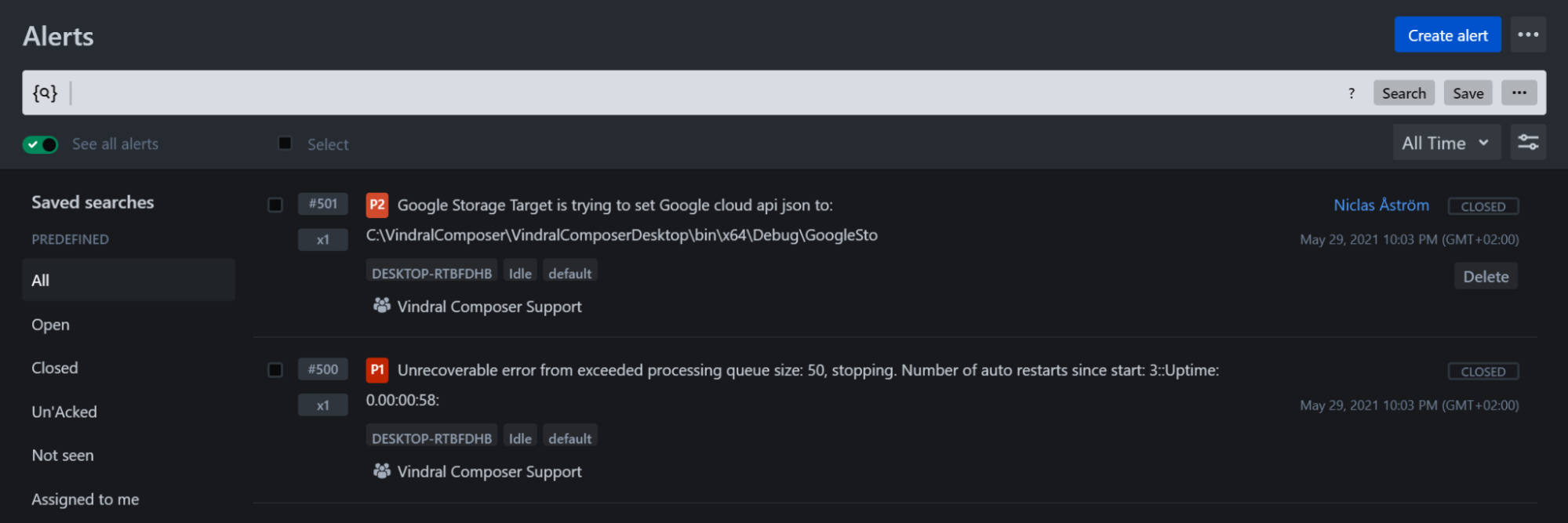
A triggered alert in OpsGenie's web UI looks like this:
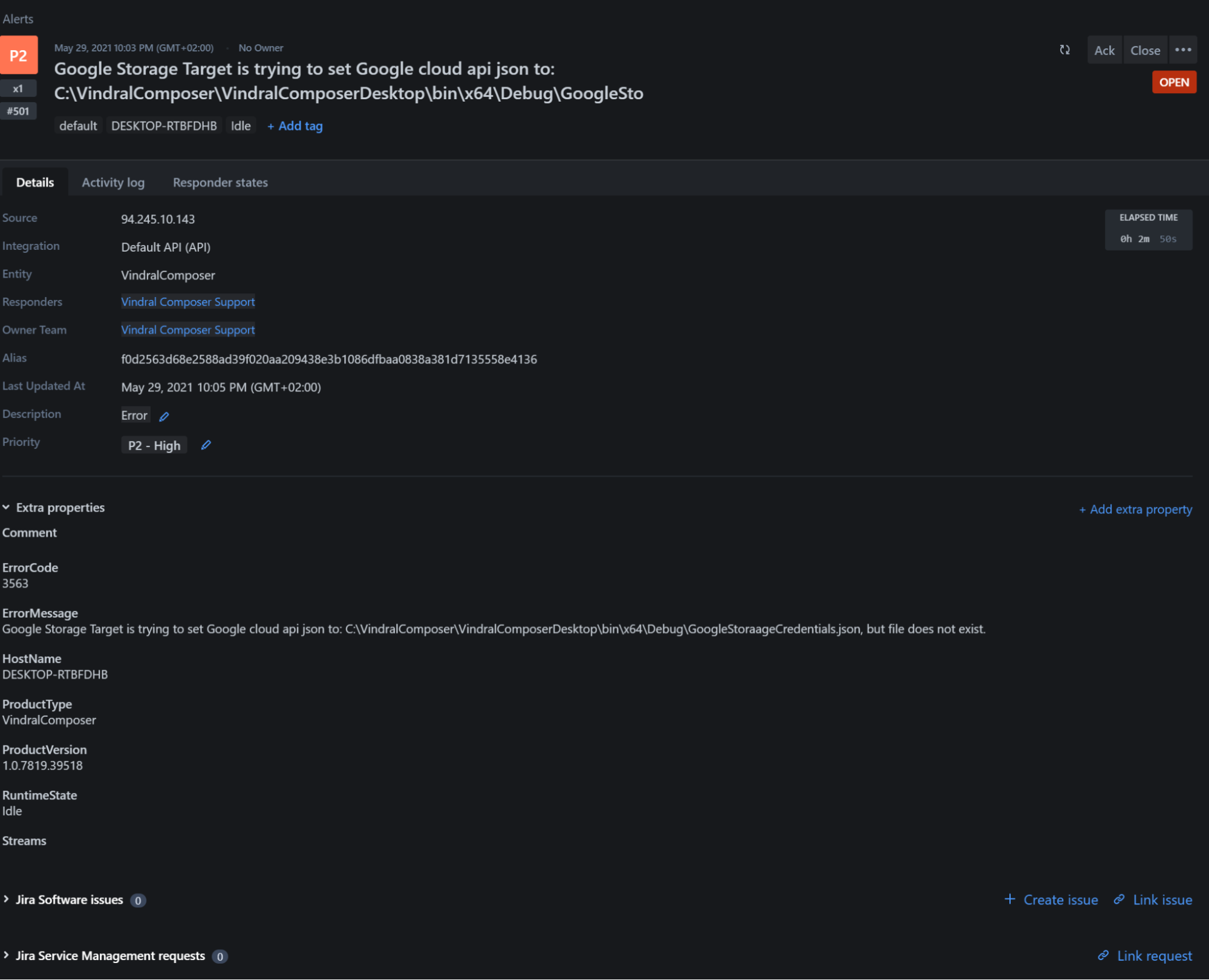
Click in to see the alert's full payload — the originating Composer log message, severity, identifier, hostname, and timestamp:
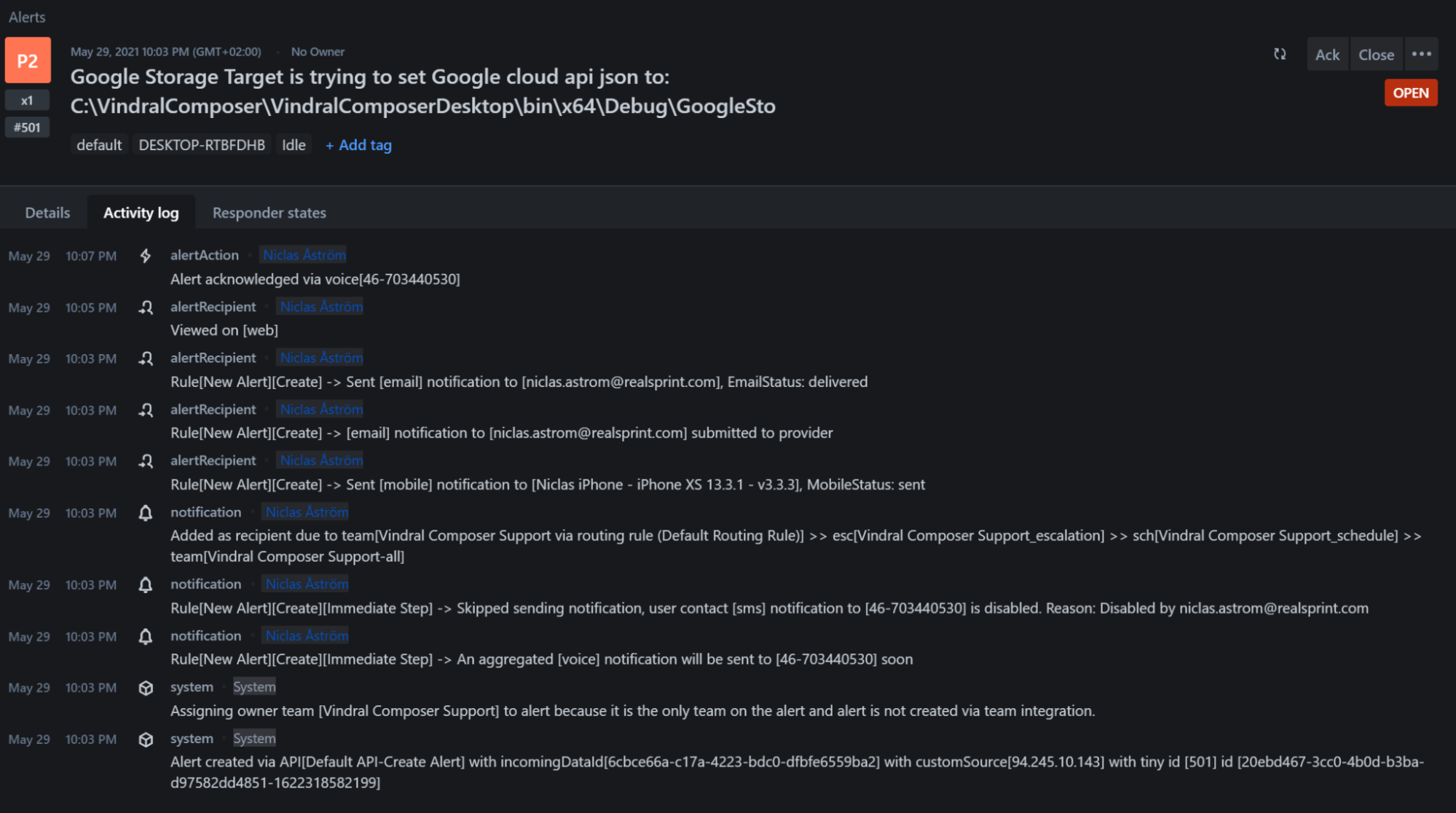
Each alert carries a full activity log (acknowledged-by, escalations, notes):
Use OpsGenie's filters to mute alerts by hostname, severity, or identifier when you're running a known-noisy test or a project that legitimately throws warnings during ramp-up.